Artificial Intelligence (AI) has quickly evolved from a futuristic concept into an everyday workplace assistant. Whether you’re a business owner, freelancer, software developer, marketer, teacher, or office employee, AI is changing how people work by helping them complete tasks faster and more efficiently.
Instead of spending hours writing emails, researching information, organizing documents, or creating reports, professionals are now using AI to automate repetitive work and focus on tasks that require creativity, strategy, and decision-making.
The rise of AI doesn’t mean people are becoming less important. In reality, the professionals who know how to work alongside AI are becoming more valuable because they can achieve better results in less time.
If you’ve ever wondered how to use AI to boost productivity at work, this comprehensive guide will show you practical ways to save time, reduce stress, and improve your daily workflow while maintaining the quality of your work.
What Does AI Productivity Mean?
AI productivity refers to using artificial intelligence tools to simplify, automate, or improve work-related tasks.
Instead of replacing employees, AI acts as a digital assistant that can:
- Generate ideas
- Draft documents
- Summarize meetings
- Analyze data
- Organize schedules
- Answer questions
- Automate repetitive processes
This allows professionals to spend more time solving problems, building relationships, and making strategic decisions.
Think of AI as an intelligent co-worker that’s available 24/7 and can handle many routine tasks in seconds.
Why AI Is Transforming Modern Workplaces
Every workplace has repetitive tasks that consume valuable hours.
For example:
- Writing routine emails
- Scheduling meetings
- Updating spreadsheets
- Searching for information
- Preparing reports
- Organizing files
- Taking meeting notes
These activities are necessary but often don’t require deep thinking.
AI excels at handling repetitive work, allowing employees to dedicate more energy to innovation, customer service, planning, and collaboration.
Businesses that embrace AI are often able to improve efficiency while reducing operational costs and employee burnout.
Benefits of Using AI at Work
AI offers much more than speed.
Some of the biggest benefits include:
Saves Time
Many tasks that previously took an hour can now be completed in minutes.
Improves Accuracy
AI reduces spelling mistakes, formatting errors, and repetitive manual work.
Increases Productivity
Employees can accomplish more work without increasing working hours.
Supports Better Decision-Making
AI can analyze large amounts of information quickly and identify useful insights.
Reduces Repetitive Work
Instead of spending time on repetitive administrative tasks, employees can focus on meaningful work.
Encourages Creativity
By handling routine work, AI gives professionals more time to brainstorm, innovate, and solve complex problems.
1. Use AI to Write Professional Emails Faster
Writing emails is one of the most common workplace activities.
Whether you’re responding to clients, communicating with your team, or following up on meetings, email writing can consume a significant portion of your day.
AI can help by:
- Drafting emails
- Correcting grammar
- Making messages more professional
- Changing the tone
- Summarizing long email conversations
- Writing polite follow-ups
For example, instead of writing a project update from scratch, you can provide AI with a few key points and ask it to create a polished email in seconds.
Always review the final version before sending, especially if it contains important business information.
2. Automate Meeting Notes and Summaries
Meetings often generate pages of notes that are difficult to organize later.
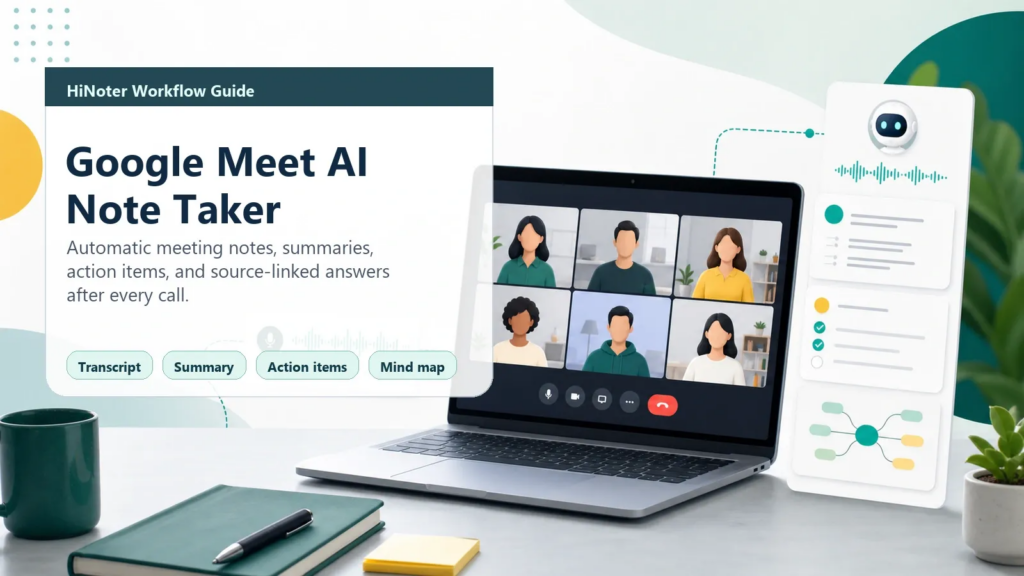
AI meeting assistants can automatically:
- Record discussions
- Generate concise summaries
- Highlight important decisions
- Create action items
- Assign follow-up tasks
Also Read :- Best AI Tools for Social Media Managers in 2026
Instead of manually documenting everything, your team can focus on participating in the discussion while AI captures the key details.
This also reduces the chances of missing important information.
3. Speed Up Research
Research is an essential part of many jobs, but reading multiple reports and articles can take hours.
AI helps professionals gather information much faster by:
- Summarizing lengthy documents
- Comparing multiple sources
- Explaining technical concepts
- Highlighting key insights
- Organizing research findings
For example, if you’re preparing a market analysis, AI can summarize dozens of pages of industry reports, allowing you to focus on interpreting the results rather than collecting information.
However, always verify facts using reliable sources before making business decisions.
4. Improve Content Creation
Creating content no longer needs to be a time-consuming process.
AI can assist with:
- Blog outlines
- Article drafts
- Social media captions
- Marketing copy
- Product descriptions
- Video scripts
- Presentation content
- Press releases
Instead of replacing human creativity, AI helps overcome writer’s block and speeds up the drafting process.
The best content still comes from combining AI assistance with your own expertise, experience, and unique perspective.
For example, a marketing manager can use AI to create the first draft of a campaign while adding real customer insights before publishing.
5. Organize Your Daily Tasks
Many professionals waste time simply deciding what to work on next.
AI-powered productivity assistants can help organize your day by:
- Creating to-do lists
- Prioritizing urgent tasks
- Breaking large projects into smaller steps
- Setting reminders
- Estimating deadlines
- Suggesting efficient schedules
Rather than feeling overwhelmed by multiple responsibilities, you can focus on one task at a time while AI helps manage your workload.
This approach improves concentration and reduces stress, especially for remote workers and freelancers who manage several projects simultaneously.
6. Use AI to Analyze Data Faster
Data is one of the most valuable assets for any business, but making sense of large spreadsheets or reports can be overwhelming.
Modern AI tools can quickly identify:
- Sales trends
- Customer behavior
- Revenue growth
- Performance metrics
- Seasonal demand
- Marketing campaign results
- Business opportunities
Instead of manually filtering hundreds or thousands of rows in a spreadsheet, you can ask AI questions in plain English.
Also Read :- Best AI Tools for Small Business Owners in 2026
For example:
- Which products generated the highest revenue last quarter?
- What was our best-performing marketing campaign this month?
- Which region had the fastest sales growth?
AI can summarize the findings, highlight unusual patterns, and even recommend areas that deserve further investigation. This helps managers make faster, data-driven decisions without spending hours on manual analysis.
7. Build Better Presentations in Less Time
Creating presentations often involves hours of planning, writing, and designing.
AI can significantly speed up this process by helping you:
- Create presentation outlines
- Suggest slide titles
- Write speaker notes
- Summarize reports into slides
- Improve presentation flow
- Generate visual ideas
Instead of starting with a blank page, you can ask AI to create a structured presentation based on your topic. You can then customize the content, add branding, and refine the design to suit your audience.
8. Simplify Customer Support
Customer support teams often answer the same questions repeatedly.
Examples include:
- Where is my order?
- What are your business hours?
- How can I reset my password?
- What payment methods do you accept?
AI-powered chatbots can handle these routine questions instantly, giving customers faster responses while allowing human agents to focus on more complex issues that require empathy and critical thinking.
For small businesses, this means providing better customer service without hiring a large support team.
9. Automate Routine Administrative Work
Administrative tasks are essential, but they rarely contribute directly to business growth.
AI can automate many repetitive activities, including:
- Data entry
- File organization
- Calendar management
- Appointment scheduling
- Invoice generation
- Form filling
- Reminder creation
- Document formatting
By reducing manual work, employees can spend more time on projects that require creativity, collaboration, and strategic planning.
10. Brainstorm Ideas More Effectively
Every professional experiences creative blocks from time to time.
Whether you’re planning a marketing campaign, writing a proposal, developing a product, or preparing a presentation, AI can act as a brainstorming partner.
For example, AI can help generate:
- Blog topic ideas
- Marketing slogans
- Product names
- Email subject lines
- Social media campaigns
- Business strategies
- Meeting agendas
Instead of replacing your creativity, AI provides fresh perspectives that you can build upon with your own expertise.
How Different Professionals Use AI
Marketing Professionals
Marketing teams use AI to work faster and make better decisions.
Common applications include:
- Keyword research
- Content planning
- Ad copy generation
- Email campaigns
- Competitor analysis
- Social media content
- Audience research
- SEO optimization
Rather than spending hours researching trends, marketers can quickly identify opportunities and focus on creating high-quality campaigns.
Software Developers
Developers increasingly use AI to improve coding efficiency.
AI can assist with:
- Writing boilerplate code
- Explaining unfamiliar code
- Debugging errors
- Creating documentation
- Suggesting improvements
- Learning new programming languages
While developers still review and test everything carefully, AI reduces repetitive coding tasks and speeds up development.
Human Resources (HR)
HR professionals handle a wide variety of administrative responsibilities.
AI helps by:
- Writing job descriptions
- Screening resumes
- Creating interview questions
- Drafting onboarding documents
- Summarizing employee feedback
- Preparing training materials
This allows HR teams to spend more time supporting employees and building a positive workplace culture.
Sales Professionals
Sales teams often spend considerable time preparing emails and updating customer information.
AI helps by:
- Personalizing outreach emails
- Summarizing customer conversations
- Preparing meeting notes
- Suggesting follow-up actions
- Generating sales proposals
- Organizing CRM data
This gives sales representatives more time to build relationships and close deals.
Small Business Owners
Business owners often wear multiple hats every day.
AI helps manage responsibilities by assisting with:
- Business planning
- Financial summaries
- Customer communication
- Marketing ideas
- Website content
- Product descriptions
- Operational checklists
For entrepreneurs, AI functions like an additional team member that supports daily operations.
Real-World Productivity Examples
Example 1: Marketing Executive
A marketing executive previously spent three hours writing weekly newsletters.
By using AI to draft the first version, edit headlines, and improve readability, the task now takes less than one hour. The extra time is used to analyze campaign performance and engage with customers.
Example 2: HR Manager
An HR manager hiring for multiple positions used to review hundreds of resumes manually.
AI now helps summarize resumes and identify candidates whose skills closely match the job description. The manager still makes the final hiring decision but spends much less time on the initial screening process.
Example 3: Freelance Writer
A freelance writer uses AI to create article outlines, brainstorm headline ideas, and organize research notes.
Instead of replacing original writing, AI speeds up the planning stage, allowing the writer to produce more high-quality content each month.
Best Practices for Using AI at Work
To maximize the benefits of AI, it’s important to use it responsibly.
Be Specific with Your Prompts
The quality of AI-generated responses depends heavily on the instructions you provide.
Instead of asking:
“Write a report.”
Try something more detailed:
“Write a professional 800-word project progress report summarizing achievements, current challenges, and next steps for senior management.”
The more context you provide, the more useful the results will be.
Always Review AI Output
AI is incredibly capable, but it isn’t perfect.
Before using AI-generated content:
- Check facts
- Verify statistics
- Correct any inaccuracies
- Ensure the tone matches your audience
- Add your own expertise
Human review remains essential.
Protect Confidential Information
Never upload confidential company information to AI tools unless your organization has approved their use.
Examples include:
- Client records
- Financial reports
- Internal strategies
- Passwords
- Legal documents
- Sensitive employee information
Responsible AI use includes protecting privacy and complying with company policies.
Common Mistakes to Avoid
Many professionals expect AI to produce perfect results without any effort. This often leads to disappointing outcomes.
Avoid these common mistakes:
- Using vague prompts
- Publishing AI-generated content without editing
- Ignoring fact-checking
- Sharing sensitive information
- Depending on AI for important business decisions
- Assuming AI understands every business context
The most productive users treat AI as a collaborative assistant—not a replacement for their own knowledge and judgment.
Expert Productivity Tips
Professionals who successfully integrate AI into their workflow often follow a few simple habits:
- Use AI for repetitive tasks first.
- Create reusable prompts for common work.
- Review and personalize every AI-generated output.
- Continue learning new AI features as they become available.
- Combine AI efficiency with human creativity and experience.
Small improvements in daily workflows can add up to significant time savings over weeks and months.
AI and Google’s EEAT Principles
Google emphasizes Experience, Expertise, Authoritativeness, and Trustworthiness (EEAT) when evaluating content quality. While AI can assist with drafting and research, creating high-quality content still requires genuine human input.
Experience
Readers value practical advice from people who have used AI in real work situations. Include examples from your own workflow, such as how AI helped you write reports faster, organize projects, or improve communication. Personal experience makes content more relatable and trustworthy.
Expertise
AI can generate information quickly, but professionals should always review and verify the content before publishing or using it in business decisions. Your expertise adds context, judgment, and industry-specific knowledge that AI alone cannot provide.
Authoritativeness
Authoritative content is accurate, well-organized, and supported by reliable information. When discussing AI, reference trusted research, official product documentation, or recognized industry reports where appropriate. This builds confidence among readers.
Trustworthiness
Transparency is essential. If AI helped draft or organize your content, ensure the final version has been fact-checked, edited, and enhanced with your own insights. Protect confidential information and avoid sharing sensitive business data with AI tools unless approved by your organization.
Following these principles helps create content that is useful to readers and aligns with Google’s quality guidelines.
Responsible AI Use in the Workplace
AI should enhance human capabilities—not replace critical thinking.
Here are a few responsible practices:
- Verify important facts before acting on AI-generated information.
- Keep confidential business data secure.
- Respect copyright when using AI-generated content.
- Avoid relying on AI for legal, financial, or medical decisions without professional review.
- Maintain transparency when appropriate, especially in collaborative environments.
Organizations should also establish clear AI usage policies to ensure employees understand what information can and cannot be shared with AI systems.
Common Myths About AI Productivity
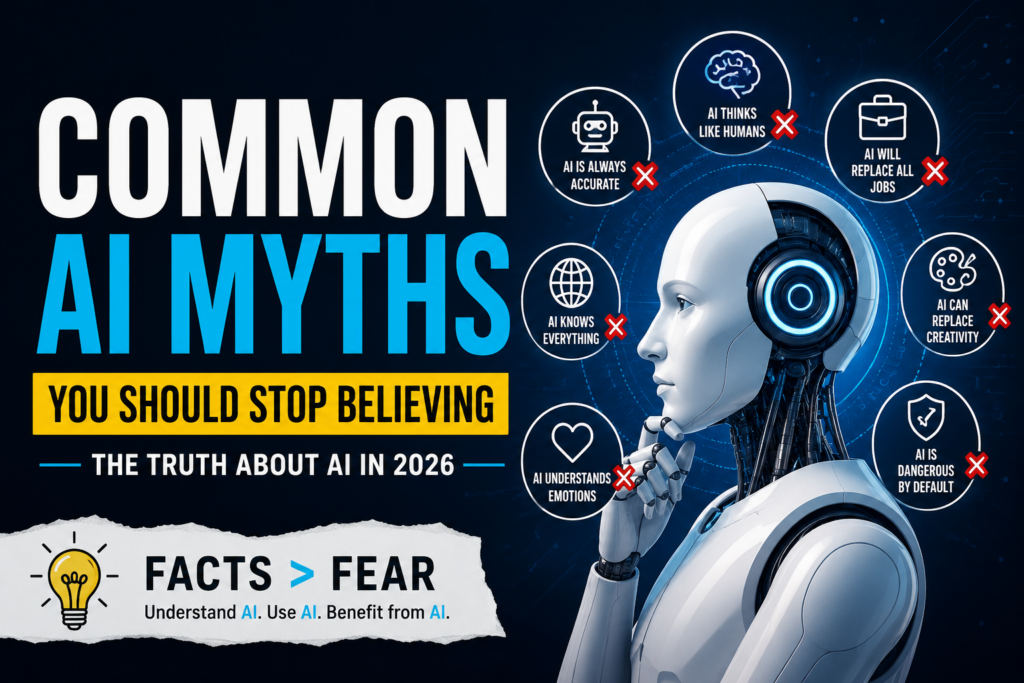
Myth 1: AI Will Replace Every Job
While AI is automating repetitive tasks, most experts believe it will reshape jobs rather than eliminate them entirely. Skills like creativity, leadership, emotional intelligence, negotiation, and strategic thinking remain uniquely human.
Myth 2: AI Is Always Correct
AI can make mistakes, misunderstand prompts, or provide outdated information. Human review is essential for accuracy and reliability.
Myth 3: AI Is Only for Tech Professionals
Today’s AI tools are designed for everyone—from teachers and marketers to accountants, healthcare workers, students, and small business owners. No coding knowledge is required for many popular AI applications.
The Future of AI in the Workplace
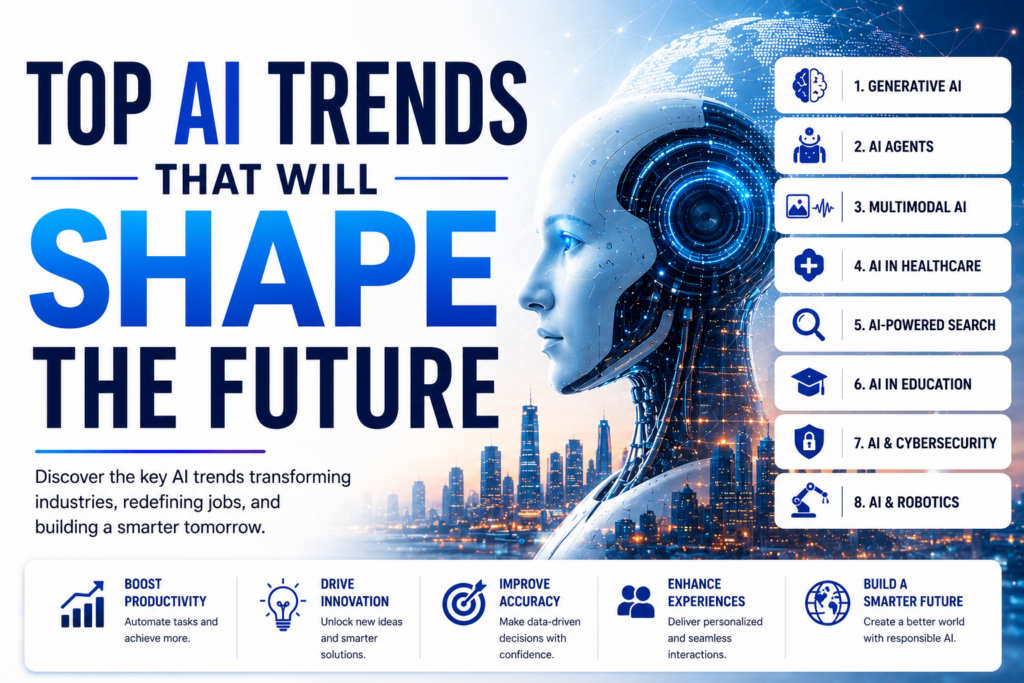
AI technology continues to evolve rapidly. Over the next few years, workplaces are likely to see:
- More personalized AI assistants that understand individual work habits.
- Improved collaboration tools that summarize meetings and track action items automatically.
- Smarter project management systems capable of predicting delays and recommending solutions.
- Enhanced data analysis that delivers insights in real time.
- Better integration between AI tools and everyday workplace software.
As these technologies mature, AI will become a standard part of professional workflows, much like email, spreadsheets, and cloud storage are today.
How to Start Using AI Today
If you’re new to AI, you don’t need to change your entire workflow overnight. Start with one repetitive task and gradually expand your usage.
A simple approach is:
- Identify a task you perform every day.
- Test whether AI can assist with part of that task.
- Review and refine the output.
- Measure the time saved.
- Repeat the process with additional tasks.
Over time, these small improvements can lead to significant productivity gains.
Frequently Asked Questions
Is AI safe to use at work?
Yes, as long as you follow your organization’s security and privacy policies. Avoid sharing confidential or sensitive information with AI tools unless they are approved for business use.
Can AI completely replace human workers?
No. AI is excellent at handling repetitive tasks and processing information quickly, but it cannot replace human creativity, emotional intelligence, leadership, or complex decision-making.
Which professionals benefit the most from AI?
AI is useful across many industries, including marketing, software development, education, finance, human resources, customer support, healthcare, sales, and entrepreneurship. Anyone who performs repetitive digital tasks can benefit.
Do I need technical skills to use AI?
Not necessarily. Many modern AI tools use simple, conversational interfaces that allow users to ask questions or provide instructions in plain language.
How much time can AI actually save?
The amount varies depending on your role and workflow. Many professionals report saving several hours each week by using AI for writing, research, scheduling, summarization, and automation.
Will using AI make my work less original?
Not if you use it correctly. AI should help you generate ideas and complete routine tasks, while your expertise, creativity, and personal experience shape the final result.
Final Thoughts
Artificial Intelligence is transforming the way people work—not by replacing professionals, but by helping them become more productive.
From drafting emails and summarizing meetings to analyzing data and automating repetitive tasks, AI enables professionals to focus on the work that matters most. The key to success is using AI as a partner rather than a substitute for human judgment.
As AI continues to evolve, professionals who learn to use it effectively will be better equipped to adapt to changing workplaces, improve efficiency, and create higher-quality work.
Whether you’re a freelancer, employee, manager, or business owner, now is an excellent time to explore how AI can fit into your daily routine. Start small, experiment responsibly, and build workflows that allow you to work smarter—not harder.
Conclusion
Learning how to use AI to boost productivity at work is no longer optional for many professionals—it’s becoming an essential skill. By automating repetitive tasks, enhancing creativity, improving communication, and supporting better decision-making, AI can significantly increase efficiency without compromising quality.
The most successful users understand that AI is a powerful assistant, not a replacement for experience or expertise. Combine AI’s speed with your own knowledge, critical thinking, and creativity, and you’ll be well-positioned to thrive in the modern workplace.