Have you ever ended your workday wondering where all your time went?
Between replying to emails, researching information, writing documents, attending online meetings, and switching between dozens of browser tabs, it’s easy to lose several hours every week on repetitive tasks. Fortunately, artificial intelligence is changing the way we work, and one of the easiest ways to take advantage of it is through AI-powered Chrome extensions.
Unlike standalone AI applications, Chrome extensions integrate directly into your browser, making assistance available wherever you work. Whether you’re drafting emails in Gmail, researching topics on Google, watching educational videos on YouTube, or creating content in Google Docs, these tools help you complete tasks faster without constantly opening new websites.
In 2026, AI Chrome extensions have become much more than writing assistants. They can summarize lengthy articles, generate social media posts, improve grammar, explain complex concepts, translate webpages, organize notes, transcribe meetings, and even automate routine workflows.
Whether you’re a student trying to finish assignments, a freelancer juggling multiple clients, a content creator producing articles, or a business professional managing meetings and emails, the right AI Chrome extension can easily save you several hours every week.
In this guide, we’ve selected ten of the most useful AI Chrome extensions that deliver real productivity benefits. These aren’t chosen because they’re simply popular—they’re included because they genuinely help users work smarter.
Why AI Chrome Extensions Are Becoming Essential
Artificial intelligence has rapidly become part of everyday work. Instead of replacing people, today’s AI tools act like intelligent assistants that help with repetitive and time-consuming tasks.
The biggest advantage of Chrome extensions is convenience. Since most work happens inside a web browser, having AI available without leaving your current page creates a much smoother workflow.
Here are some of the biggest benefits:
- Write professional emails in seconds
- Summarize long webpages instantly
- Generate blog outlines and content ideas
- Improve grammar and readability
- Conduct research much faster
- Translate foreign-language content
- Take meeting notes automatically
- Organize online knowledge efficiently
- Reduce repetitive typing
Even saving just 20 minutes each workday adds up to more than 100 hours every year.
1. ChatGPT for Chrome
Best For: Everyday Productivity
When people think about AI, ChatGPT is often the first tool that comes to mind—and for good reason.
The Chrome extension brings AI assistance directly into your browsing experience, eliminating the need to repeatedly open the ChatGPT website. Whether you’re writing emails, brainstorming ideas, summarizing articles, or solving technical problems, it’s available with just a click.
Key Features
- Generate emails quickly
- Rewrite paragraphs
- Summarize webpages
- Explain difficult concepts
- Generate programming code
- Brainstorm creative ideas
- Answer questions while browsing
Why It’s Worth Installing
Instead of spending fifteen minutes writing a professional email, ChatGPT can create a polished draft in under a minute. It also excels at breaking down complicated topics into simple explanations, making it useful for students and professionals alike.
Best For
- Students
- Bloggers
- Content writers
- Software developers
- Digital marketers
- Small business owners
Estimated Time Saved: 30–60 minutes daily.
2. Grammarly AI

Best For: Writing Better and Faster
Writing mistakes can damage your professional image, especially when sending emails or publishing content.
Grammarly has evolved from a grammar checker into a complete AI writing assistant. Beyond correcting spelling and punctuation, it now helps rewrite awkward sentences, improve clarity, adjust tone, and generate content suggestions.
Also Read :- Best AI Tools for Students in 2026
Whether you’re writing LinkedIn posts, reports, proposals, or customer emails, Grammarly makes your writing clearer and more professional.
Top Features
- Grammar correction
- Tone detection
- AI rewriting
- Sentence improvement
- Clarity suggestions
- Email drafting
- Vocabulary enhancement
Why Professionals Love It
Instead of rereading every email multiple times, Grammarly catches mistakes instantly and even recommends friendlier or more professional wording depending on your audience.
Best For
- Corporate professionals
- Freelancers
- Students
- Bloggers
- Customer support teams
Estimated Time Saved: 20–40 minutes every day.
3. Perplexity AI

Best For: Fast Research
Traditional Google searches often require opening several tabs before finding reliable information.
Perplexity AI changes this by providing concise, AI-generated answers along with links to the original sources. This makes research significantly faster while allowing users to verify information.
Instead of reading five different websites, you receive a summarized explanation within seconds.
Features
- AI-powered search
- Source citations
- Instant summaries
- Follow-up questions
- Research assistance
- Fact-based responses
Practical Example
Imagine you’re writing an article about electric vehicles. Rather than manually comparing multiple websites, Perplexity summarizes the latest information and provides references that you can explore further.
Best For
- Researchers
- Journalists
- Students
- Bloggers
- SEO professionals
Estimated Time Saved: Around 45 minutes daily.
4. Compose AI
Best For: Emails and Repetitive Writing
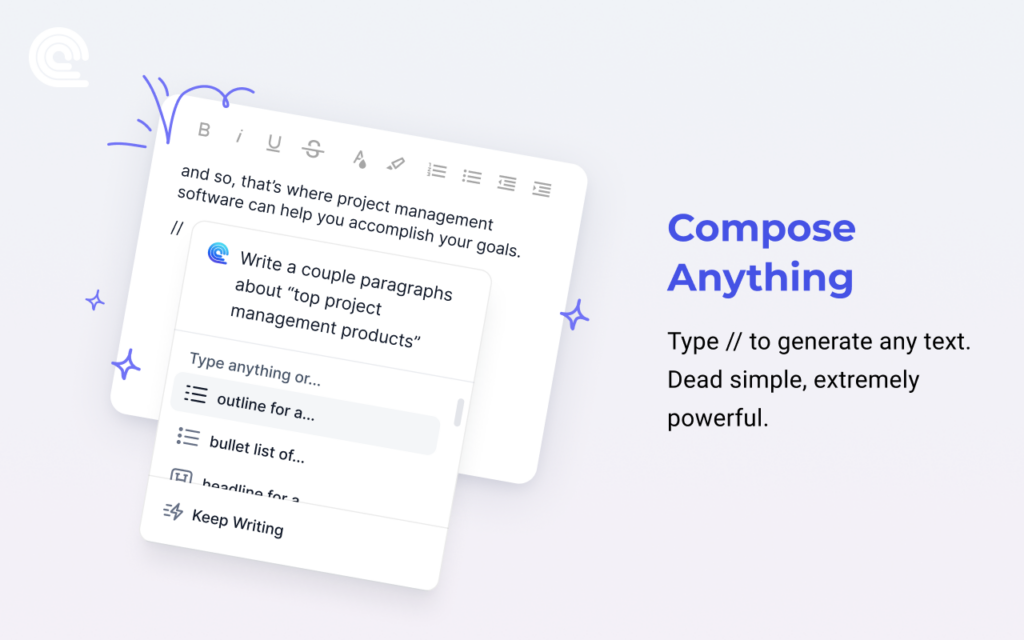
If your job involves responding to dozens of emails every day, Compose AI can dramatically reduce typing time.
The extension predicts what you’re about to write and automatically completes sentences. It also generates complete replies based on the conversation context.
Over time, it learns your writing style, making suggestions feel increasingly natural.
Features
- Smart autocomplete
- AI email drafting
- Instant replies
- Writing shortcuts
- Sentence completion
- Personalized suggestions
Why Businesses Use It
Sales representatives, recruiters, customer support teams, and business owners often send similar messages repeatedly. Compose AI automates much of this work while still allowing messages to sound personalized.
Instead of typing the same information repeatedly, users simply review and edit AI-generated suggestions before sending.
Best For
- Sales professionals
- Recruiters
- Business owners
- Customer support
- Office employees
Estimated Time Saved: One to two hours every week.
5. Monica AI
Best For: An All-in-One AI Assistant
If you’re looking for a single Chrome extension that combines multiple AI capabilities, Monica AI is one of the strongest choices available in 2026.
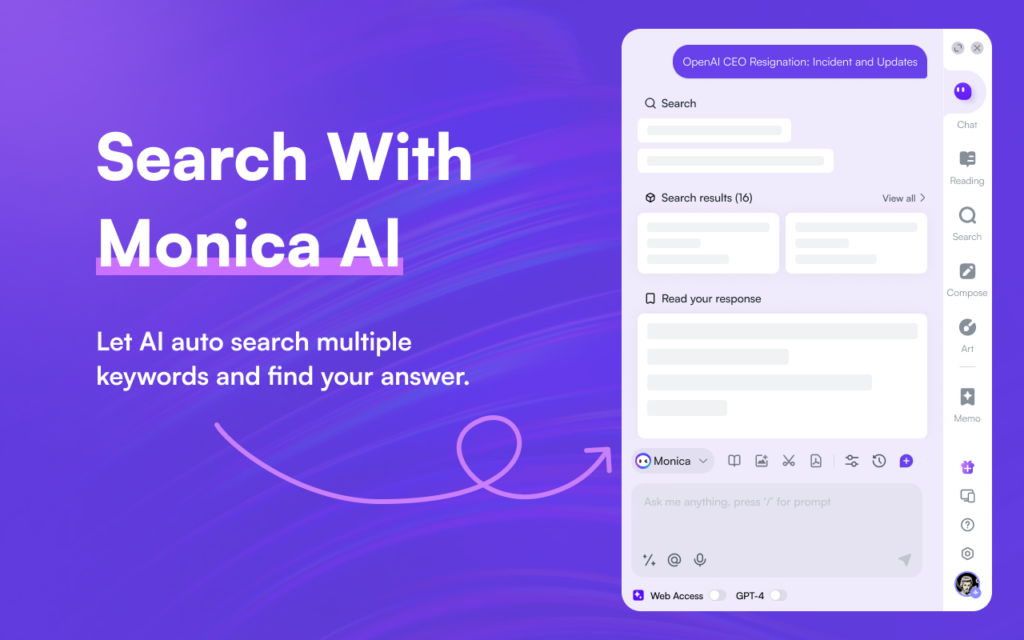
Instead of installing separate tools for writing, translating, summarizing, and brainstorming, Monica brings these features together in one convenient sidebar. It works across most websites, allowing you to access AI assistance without interrupting your workflow.
Whether you’re reading an article, responding to emails, creating social media content, or reviewing documents, Monica stays available with a simple keyboard shortcut or browser icon.
Key Features
- AI writing assistant
- Webpage summarization
- Email drafting
- Content translation
- Grammar improvements
- Code explanation
- Brainstorming ideas
- PDF assistance
Why It Saves Time
Imagine reading a 5,000-word report. Instead of spending 20 minutes identifying the main points, Monica can summarize it in under a minute. It also helps rewrite paragraphs, generate replies, and explain technical concepts without switching tabs.
For professionals who spend most of their day in Chrome, Monica acts like a personal productivity assistant.
Best For
- Marketing professionals
- Content creators
- Students
- Business owners
- Developers
Estimated Time Saved: 30–60 minutes daily.
6. Sider AI
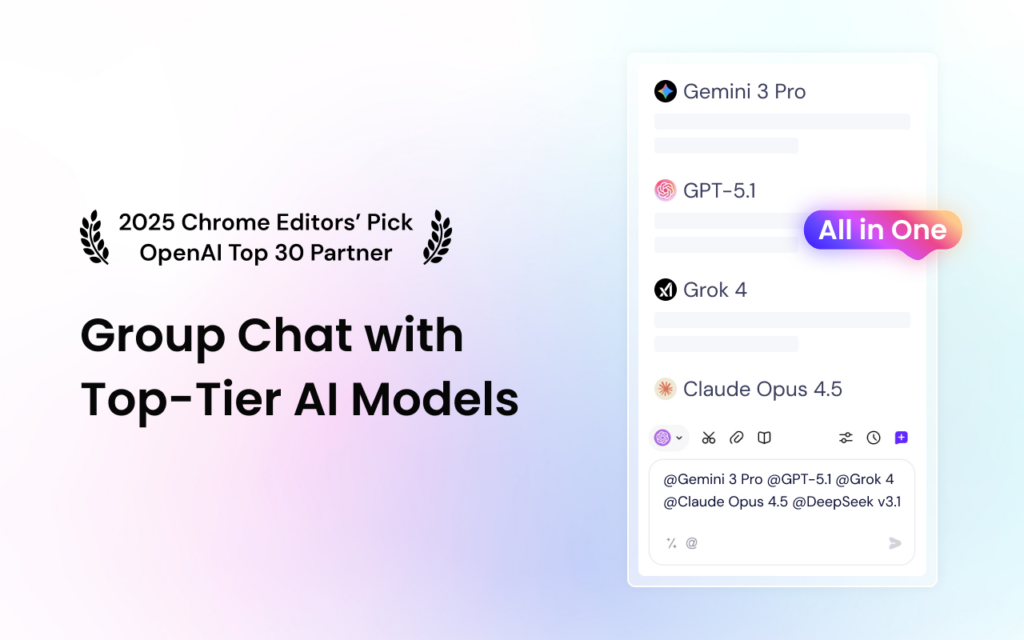
Best For: AI Assistance Without Leaving Your Browser
Sider AI has become increasingly popular because it brings advanced AI models directly into a sidebar that remains accessible while browsing.
Instead of copying text into another AI tool, you simply highlight content or open the sidebar to ask questions, summarize articles, translate text, or generate new content.
Also Read :- Best AI Tools for Content Creators in 2026
Its seamless workflow makes it especially useful for people who constantly research information online.
Features
- AI sidebar
- Webpage summaries
- PDF analysis
- Translation
- Writing assistance
- Coding support
- AI chat
Practical Example
Suppose you’re reading a lengthy research paper. Rather than scrolling through every section, Sider can provide a concise summary highlighting the key findings and important insights.
Similarly, if you’re watching an educational YouTube video, you can ask questions about the content without leaving the page.
Why Users Love It
The biggest advantage is convenience. Since the AI stays alongside your browsing session, you don’t waste time switching between websites.
Best For
- Researchers
- Students
- Professionals
- Developers
- Content writers
Estimated Time Saved: Around 40 minutes daily.
7. Merlin AI
Best For: AI Across Popular Websites
Merlin AI is designed to work almost everywhere online.
This flexibility makes it one of the most versatile AI Chrome extensions available today.
Main Features
Unlike many Chrome extensions that focus on one task, Merlin integrates with popular platforms including Gmail, Google Search, LinkedIn, X (formerly Twitter), YouTube, and Google Docs.
- AI writing
- Email replies
- Social media content
- YouTube summaries
- Search assistance
- Document generation
- Content rewriting
Real-World Uses
Imagine you’re responding to customer inquiries in Gmail.
Instead of writing every reply manually, Merlin generates a professional response based on the conversation.
Similarly, while browsing LinkedIn, it can help draft thoughtful comments or personalized connection requests.
On YouTube, Merlin summarizes lengthy educational videos so you can understand the main ideas without watching every minute.
Why It’s Worth Trying
Because Merlin works across multiple websites, users often replace several separate extensions with just one.
Best For
- Content marketers
- Sales professionals
- Recruiters
- Bloggers
- Students
Estimated Time Saved: Several hours every month.
8. Wordtune
Best For: Making Your Writing Sound Natural
Many people struggle not with grammar but with wording.
A sentence might be technically correct yet still sound awkward, repetitive, or overly complicated.
That’s where Wordtune shines.
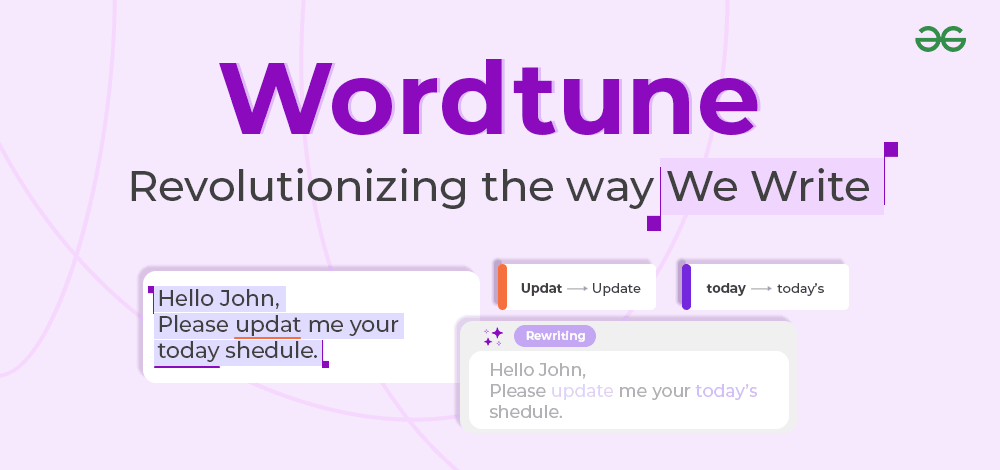
Rather than simply correcting mistakes, it rewrites sentences in different styles while preserving your original meaning.
Whether you want to sound more professional, conversational, concise, or persuasive, Wordtune offers multiple alternatives.
Features
- Sentence rewriting
- Tone adjustment
- Shorten text
- Expand ideas
- Improve readability
- Rewrite paragraphs
Why Professionals Use It
Writers often spend more time editing than drafting.
Wordtune speeds up this editing process by suggesting smoother, more engaging alternatives.
For example:
Instead of writing:
“The meeting was conducted in order to discuss future planning.”
Wordtune may suggest:
“The meeting focused on future planning.”
The result is shorter, clearer, and easier to read.
Best For
- Bloggers
- Students
- Copywriters
- Business professionals
- Freelance writers
Estimated Time Saved: 20–30 minutes daily.
9. Glasp AI
Best For: Saving and Organizing Knowledge
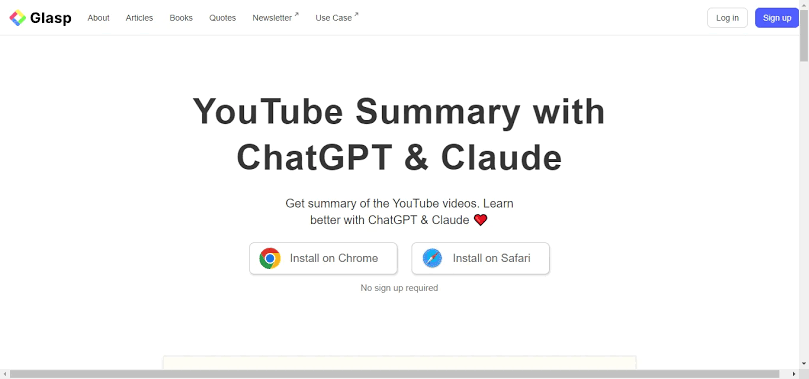
If you regularly read articles, research papers, blogs, or online documentation, Glasp AI can become one of your most valuable productivity tools.
Instead of bookmarking dozens of webpages and forgetting why you saved them, Glasp lets you highlight important sections directly on the page. It then organizes those highlights into a searchable knowledge library, making it easy to revisit key information later.
Its AI features can also summarize content and generate insights from your saved highlights, helping you review information much faster.
Key Features
- Highlight webpages
- AI-generated summaries
- Organize notes automatically
- Save important quotes
- Export highlights
- Personal knowledge management
Real-World Example
Suppose you’re researching “digital marketing trends” for an upcoming presentation. Rather than juggling multiple bookmarks, you can highlight key statistics, save useful insights, and later review everything from one organized dashboard.
For students preparing for exams or professionals researching a project, this can save hours of searching through previously visited webpages.
Best For
- Students
- Researchers
- Journalists
- Content creators
- Lifelong learners
Estimated Time Saved: 2–4 hours every month.
10. Otter.ai Chrome Extension

Best For: Meeting Notes and Transcriptions
Meetings are important, but manually taking notes while trying to stay engaged can be difficult.
Otter.ai solves this problem by automatically transcribing conversations, identifying speakers, and creating searchable meeting notes. The Chrome extension integrates with many online meeting platforms, allowing users to focus on the discussion instead of typing everything themselves.
Key Features
- Live meeting transcription
- Automatic summaries
- Speaker recognition
- Searchable notes
- Meeting highlights
- Easy sharing with teammates
Why It’s Useful
Imagine attending a one-hour client meeting packed with important decisions and action items. Instead of scrambling to write everything down, Otter.ai captures the conversation and provides a clear transcript afterward. You can review key points, share notes with colleagues, and ensure nothing important is missed.
Best For
- Remote teams
- Project managers
- Students attending online lectures
- Journalists conducting interviews
- Business professionals
Estimated Time Saved: 3–5 hours every week for frequent meeting attendees.
How AI Chrome Extensions Improve Everyday Productivity
Many people assume AI tools are only useful for writers or programmers, but they can benefit almost anyone who spends time online.
Here are a few examples of how these extensions can simplify daily tasks:
For Students
- Summarize research papers
- Explain difficult concepts
- Improve assignments
- Translate study material
- Generate revision notes
For Bloggers and Content Creators
- Create article outlines
- Rewrite paragraphs
- Generate social media captions
- Improve SEO writing
- Research faster
For Business Professionals
- Draft professional emails
- Prepare meeting summaries
- Improve reports
- Generate presentation ideas
- Respond to clients quickly
For Freelancers
- Speed up client communication
- Create proposals
- Improve project documentation
- Research competitors
- Manage repetitive writing tasks
No matter your profession, even saving 30 minutes a day can free up several extra hours every month for more meaningful work.
Tips for Choosing the Right AI Chrome Extension
With so many AI extensions available, it’s tempting to install them all. However, too many browser extensions can consume memory and slow down Chrome.
Instead, choose tools based on your primary workflow.
If You Write Frequently
Consider:
- Grammarly AI
- Wordtune
- ChatGPT
- Compose AI
If You Conduct Research
Choose:
- Perplexity AI
- Monica AI
- Sider AI
If You Spend Most of Your Time in Gmail
You’ll benefit from:
- Compose AI
- Merlin AI
- Grammarly AI
If You’re a Student
A combination of ChatGPT, Perplexity, Glasp, and Sider can significantly improve studying, note-taking, and research efficiency.
As a general rule, installing three to five high-quality extensions is usually more effective than filling your browser with dozens of tools you’ll rarely use.
Comparison Table: Best AI Chrome Extensions in 2026
| AI Chrome Extension | Best For | Free Plan | Estimated Time Saved |
|---|---|---|---|
| ChatGPT | Everyday AI assistance | Yes | 30–60 mins/day |
| Grammarly AI | Writing & grammar | Yes | 20–40 mins/day |
| Perplexity AI | Research | Yes | 45 mins/day |
| Compose AI | Email writing | Yes | 1–2 hrs/week |
| Monica AI | All-in-one productivity | Yes | 30–60 mins/day |
| Sider AI | Browser-based AI assistant | Yes | 40 mins/day |
| Merlin AI | AI across websites | Yes | Several hrs/month |
| Wordtune | Sentence rewriting | Yes | 20–30 mins/day |
| Glasp AI | Research & note-taking | Yes | 2–4 hrs/month |
| Otter.ai | Meeting transcription | Yes | 3–5 hrs/week |
Are AI Chrome Extensions Safe?
One of the most common concerns people have is whether AI browser extensions are safe to use.
The answer depends on the extension you install. Reputable extensions from established companies generally follow strong security practices, but it’s still important to be cautious.
Follow These Safety Tips
- Download extensions only from the official Chrome Web Store.
- Check the publisher’s reputation and user reviews before installing.
- Review the permissions an extension requests. Avoid tools asking for unnecessary access.
- Keep your extensions updated to receive the latest security fixes.
- Avoid entering confidential information, passwords, banking details, or sensitive company data into AI tools unless you fully understand how the provider stores and processes your information.
Taking a few minutes to review an extension before installing it can help protect both your privacy and your data.
Tips to Get the Most Out of AI Chrome Extensions
Installing an extension is only the first step. To maximize productivity, consider these best practices:
- Use keyboard shortcuts to launch AI tools instantly.
- Create reusable prompts for repetitive tasks like emails, summaries, or social media captions.
- Combine complementary tools—for example, use Perplexity AI for research, ChatGPT for drafting, and Grammarly AI for final editing.
- Regularly remove unused extensions to keep Chrome running smoothly.
- Explore advanced settings to customize features according to your workflow.
Small adjustments like these can significantly improve your daily efficiency.
Frequently Asked Questions (FAQs)
Which AI Chrome extension is best overall?
If you need one extension for a wide variety of tasks, ChatGPT is an excellent choice. It can help with writing, brainstorming, coding, summarizing, and answering questions. However, the best extension depends on your specific needs.
Which AI Chrome extension is best for students?
Students often benefit from using ChatGPT for explanations, Perplexity AI for research, Glasp AI for organizing notes, and Grammarly AI for improving assignments.
Are AI Chrome extensions free?
Most of the extensions listed in this article offer free plans with basic functionality. Premium subscriptions typically unlock higher usage limits, faster responses, and advanced features.
Will AI Chrome extensions slow down my browser?
Installing too many extensions can affect Chrome’s performance. To avoid this, keep only the tools you use regularly and remove those you no longer need.
Can AI Chrome extensions help with SEO and content creation?
Yes. Many AI Chrome extensions can assist with keyword research, content outlines, rewriting, proofreading, brainstorming ideas, and improving readability. While they can speed up content creation, it’s still important to review and edit the final output to ensure originality and accuracy.
Final Thoughts
AI Chrome extensions have transformed the browser into a powerful productivity workspace. Instead of switching between multiple websites and applications, you can now access writing assistance, research tools, meeting summaries, and content generation directly where you work.
The key is choosing extensions that match your workflow rather than installing every AI tool available. For most users, a combination of ChatGPT, Grammarly AI, and Perplexity AI provides an excellent foundation. If your work involves heavy browsing, research, or meetings, adding Monica AI, Sider AI, or Otter.ai can further streamline your daily tasks.
Remember, AI is most effective when it complements your skills rather than replacing them. Use these tools to handle repetitive work, save time, and focus your energy on creativity, problem-solving, and decision-making.
Whether you’re a student, freelancer, entrepreneur, or corporate professional, the right AI Chrome extensions can help you reclaim valuable hours every week and work more efficiently than ever before.
Conclusion
AI Chrome extensions are no longer optional productivity tools—they’re becoming essential for anyone who spends significant time online. From drafting emails and summarizing articles to organizing research and transcribing meetings, these extensions simplify complex tasks and reduce repetitive work.
Start with one or two tools that address your biggest productivity challenges. As you become comfortable using AI in your daily workflow, you can gradually explore additional extensions that fit your needs.
The future of browsing is intelligent, efficient, and AI-powered. By adopting the right Chrome extensions today, you’ll be better prepared to stay productive in 2026 and beyond.