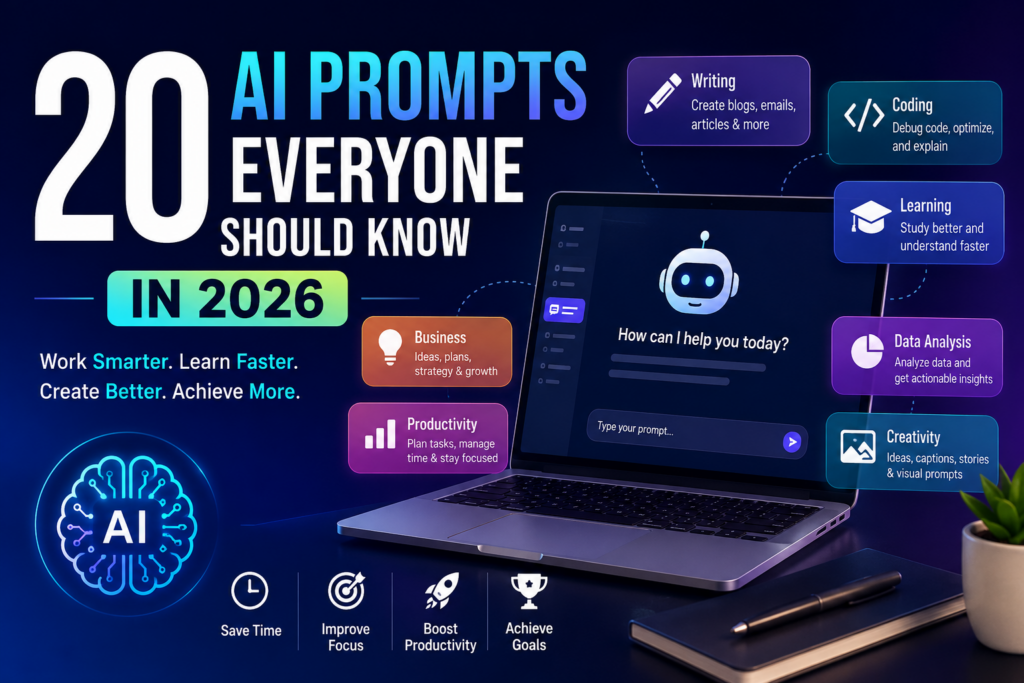
Artificial Intelligence has evolved from being a futuristic technology into an everyday productivity companion. Whether you’re a student, entrepreneur, content creator, developer, marketer, or business owner, knowing how to ask AI the right questions has become one of the most valuable digital skills in 2026.
The difference between an average AI response and an exceptional one often comes down to the quality of your prompt.
Instead of typing:
“Write an article.”
People who know prompt engineering ask:
“Write a 1,500-word SEO article in a conversational tone with EEAT principles, practical examples, FAQs, and a compelling conclusion.”
The second prompt produces dramatically better results.
In this guide, you’ll discover 20 practical AI prompts that can save hours every week while helping you produce better work.
Why AI Prompts Matter More Than Ever
Modern AI tools are incredibly capable, but they’re not mind readers.
The more context, goals, audience, and instructions you provide, the more useful the output becomes.
A good prompt can help you:
- Save hours every day
- Improve writing quality
- Generate business ideas
- Learn faster
- Write better emails
- Create social media content
- Plan projects
- Analyze data
- Solve coding problems
- Brainstorm creative ideas
Think of prompts as instructions for your AI assistant.
The clearer your instructions, the better the results.
1. Learn Anything Faster
Prompt
Explain [topic] like I’m a beginner. Then teach intermediate concepts, advanced concepts, common mistakes, and finally give me a quiz.
Best For
- Students
- Professionals
- Self-learning
- Competitive exams
Instead of spending hours watching videos, this prompt creates a structured learning path within minutes.
2. Turn AI Into Your Personal Tutor
Prompt
Act as my personal tutor. Ask me questions one by one, identify my weak areas, and explain concepts until I understand them.
This creates an interactive learning experience instead of simply giving answers.
Also Read :- Best AI Tools for Content Creators in 2026
3. Write Better Emails
Prompt
Write a professional email about [topic]. Keep it polite, concise, and include a clear call-to-action.
Perfect for:
- Clients
- Managers
- HR
- Job applications
- Customer support
4. Summarize Anything
Prompt
Summarize this article into five key points. Then explain it in simple English and list the important takeaways.
Ideal for:
- Research papers
- News articles
- PDFs
- Books
- Reports
5. Generate Content Ideas
Prompt
Generate 50 unique content ideas about [industry] based on current trends, beginner questions, expert insights, and future predictions.
Excellent for:
- Bloggers
- YouTubers
- Businesses
- Agencies
6. SEO Content Creation
Prompt
Act as an SEO expert. Write a detailed article targeting the keyword [keyword] following EEAT principles with headings, FAQs, internal linking ideas, and meta description.
One of the most powerful prompts for content creators.
7. Improve Any Piece of Writing
Prompt
Rewrite the following text to make it more engaging, natural, and easy to understand while preserving the original meaning.
Useful for:
- Blog posts
- Emails
- Reports
- Essays
- Social media posts
Also Read :- Best AI Tools for Small Business Owners in 2026
8. Social Media Content Generator
Prompt
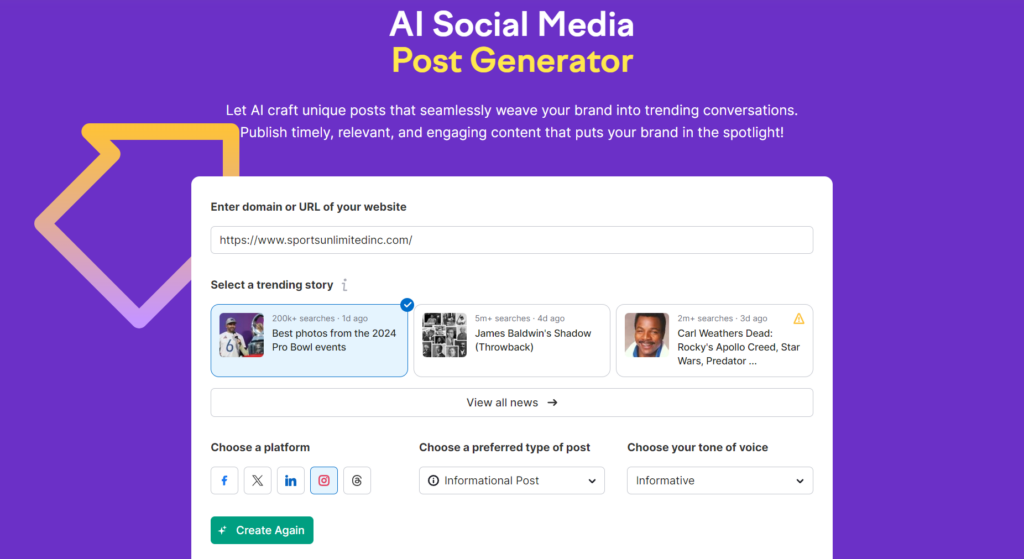
Create Instagram captions, LinkedIn posts, Twitter posts, Facebook posts, hashtags, and CTAs for this topic.
This saves creators hours every week.
9. Meeting Notes Organizer
Prompt
Organize these meeting notes into action items, responsibilities, deadlines, and next steps.
Perfect for remote teams and managers.
10. Brainstorm Business Ideas
Prompt
Suggest 20 profitable business ideas based on my skills: [list your skills], budget: [budget], and location: [country].
AI often suggests opportunities you may never have considered.
11. Debug Code Like a Senior Developer
Whether you’re a beginner learning to code or an experienced developer, AI can significantly reduce debugging time.
Prompt
You are a senior software engineer. Review the following code, identify all bugs, explain why they occur, suggest improvements, optimize performance, and rewrite the corrected version with comments.
Best For
- Python
- JavaScript
- Java
- C++
- PHP
- HTML/CSS
- SQL
Pro Tip: Include the exact error message along with your code for more accurate troubleshooting.
12. Create an ATS-Friendly Resume
A resume isn’t just about listing your experience—it should also be optimized for Applicant Tracking Systems (ATS).
Prompt
Act as a professional resume writer. Create an ATS-friendly resume for a [Job Title] using my experience below. Highlight achievements using action verbs and quantify results wherever possible.
Why This Works
Instead of a generic resume, AI can tailor your application to a specific job description, increasing your chances of getting shortlisted.
13. Prepare for Job Interviews
Interview preparation becomes much easier when AI acts as the interviewer.
Prompt
Act as an interviewer for the role of [Job Title]. Ask me one question at a time, evaluate my answers, suggest improvements, and provide the ideal response.
Great For
- Freshers
- Experienced professionals
- MBA interviews
- Technical interviews
- HR rounds
Practicing with AI can help you become more confident before the actual interview.
14. Build a Personalized Travel Plan
Planning a vacation involves researching destinations, transportation, accommodations, and activities. AI can simplify the process.
Prompt
Create a detailed travel itinerary for [Destination] for [Number of Days] based on my budget, interests, and travel style. Include attractions, food recommendations, transportation tips, estimated costs, and safety advice.
Ideal For
- Solo travelers
- Families
- Couples
- Business trips
- Weekend getaways
A well-structured itinerary saves both time and money.
15. Create Better Presentations
Instead of spending hours planning slides, let AI create the structure first.
Prompt
Create a professional presentation outline about [Topic] with slide titles, key points, speaker notes, visual suggestions, and a strong conclusion.
Perfect for:
- Students
- Teachers
- Business professionals
- Startup founders
16. Analyze Data Quickly
AI can help interpret spreadsheets, reports, and datasets.
Prompt
Analyze the following dataset and identify important trends, anomalies, opportunities, risks, and actionable insights. Present the findings in simple language with recommendations.
Use Cases
- Sales reports
- Marketing campaigns
- Website analytics
- Financial statements
- Customer feedback
This helps decision-makers understand data without spending hours on manual analysis.
17. Become a Better Decision Maker
Sometimes choosing between multiple options can be difficult.
Prompt
Compare these options using a decision matrix. Analyze the pros, cons, risks, costs, long-term benefits, and recommend the best option with reasoning.
Examples include:
- Choosing a laptop
- Selecting a business idea
- Deciding between job offers
- Buying a car
- Choosing software tools
A structured comparison often makes complex decisions much clearer.
18. Generate High-Quality Image Prompts
Modern AI image generators perform much better when given detailed instructions.
Prompt
Create a highly detailed AI image prompt for [Subject] in a realistic style. Include lighting, camera angle, composition, colors, background, atmosphere, and quality settings.
Useful For
- Blog featured images
- Social media graphics
- Marketing creatives
- Product mockups
- Concept art
The more descriptive the prompt, the more impressive the generated image.
19. Brainstorm Creative Solutions
When you’re stuck on a problem, AI can provide fresh perspectives.
Prompt
I am facing this challenge: [Describe Problem]. Suggest 20 creative solutions ranked by feasibility, cost, expected impact, and implementation difficulty.
This prompt is especially useful for entrepreneurs, managers, and creators looking for innovative approaches.
20. Use AI as Your Daily Productivity Coach
One of the most practical ways to use AI is as a daily planner and accountability partner.
Prompt
Act as my productivity coach. Help me prioritize today’s tasks based on urgency and importance, estimate the time required for each task, identify distractions, and create a realistic schedule with breaks.
Why It Helps
Instead of feeling overwhelmed by a long to-do list, you’ll have a structured plan that makes your day more manageable and productive.
Tips for Writing Better AI Prompts
Before moving on to the remaining prompts, remember these best practices:
- Give AI a specific role (e.g., “Act as an SEO expert” or “Act as a marketing strategist.”)
- Clearly define your goal.
- Mention your target audience.
- Specify the desired output format.
- Include word count or length if needed.
- Ask AI to provide examples or practical steps.
These small additions often improve the quality of responses dramatically.
Common Mistakes to Avoid When Writing AI Prompts
Even powerful AI tools can produce weak responses if the prompt lacks clarity. Here are some common mistakes to avoid:
- Being too vague (e.g., “Write something about AI.”)
- Not specifying the target audience.
- Forgetting to mention the desired tone or style.
- Leaving out important context or goals.
- Asking multiple unrelated questions in a single prompt.
- Not requesting the output format (table, list, article, summary, etc.).
- Ignoring follow-up prompts to refine the results.
Taking a few extra seconds to write a detailed prompt often leads to much better outcomes.
Best Practices for Effective Prompting
To consistently get high-quality AI responses, keep these tips in mind:
- Assign AI a role, such as “SEO expert,” “financial advisor,” or “career coach.”
- Clearly explain the task and desired outcome.
- Mention your target audience.
- Specify the preferred tone (professional, conversational, friendly, etc.).
- Request examples, step-by-step guidance, or practical tips where relevant.
- If the response isn’t perfect, refine your prompt instead of starting over.
Prompt writing is an iterative process, and small adjustments can make a significant difference in the quality of the output.
Frequently Asked Questions (FAQs)
1. What is an AI prompt?
An AI prompt is the instruction or question you give an AI tool to generate a response. The more specific and detailed your prompt is, the better the AI can understand your request and produce useful, relevant results.
2. Why are AI prompts important in 2026?
AI has become a core productivity tool for work, education, business, and content creation. Knowing how to write effective prompts helps you get more accurate responses, save time, automate repetitive tasks, and improve the overall quality of AI-generated content.
3. Which AI tools can I use these prompts with?
Most of the prompts in this guide work with popular AI assistants, including:
- ChatGPT
- Google Gemini
- Claude
- Microsoft Copilot
- Perplexity AI
- Grok
- DeepSeek
- Other modern generative AI tools
You may need to make small adjustments depending on the platform, but the overall structure remains effective.
4. How do I write better AI prompts?
Here are a few best practices:
- Clearly describe your goal.
- Give the AI a specific role (for example, “Act as an SEO expert”).
- Provide enough background information.
- Specify your preferred output format.
- Mention the target audience.
- Include examples if necessary.
- Refine the prompt based on the AI’s first response.
The more context you provide, the more useful the output is likely to be.
5. Can AI prompts improve productivity?
Yes. Well-written prompts can help automate research, writing, coding, brainstorming, planning, summarizing, and many other repetitive tasks. Many professionals use AI daily to reduce manual work and focus on higher-value activities.
6. Are AI prompts useful for students?
Absolutely. Students can use AI prompts to:
- Understand difficult concepts
- Summarize textbooks
- Practice interview questions
- Prepare for exams
- Improve writing skills
- Learn programming
- Organize study schedules
- Generate project ideas
AI should be used as a learning aid rather than a replacement for understanding the material yourself.
7. Can businesses benefit from AI prompts?
Businesses use AI prompts for a wide range of tasks, including:
- Marketing campaigns
- Customer support
- SEO content
- Social media planning
- Market research
- Data analysis
- Email writing
- Internal documentation
- Sales copy
- Brainstorming new products and services
When combined with human review, AI can significantly speed up business workflows.
8. Will prompt engineering remain an important skill?
Yes. As AI tools continue to evolve, the ability to communicate effectively with them will remain valuable. While AI models are becoming better at understanding natural language, providing clear instructions, context, and goals consistently leads to higher-quality results.
Final Thoughts
Artificial Intelligence is no longer just a tool for tech enthusiasts—it’s becoming an essential part of how people learn, work, create, and solve problems. In 2026, knowing how to communicate with AI effectively is just as important as knowing how to search the web or use productivity software.
The 20 prompts in this guide are practical starting points that can help you write better content, learn new skills, automate repetitive work, analyze information, and make more informed decisions. Whether you’re a student, freelancer, entrepreneur, marketer, or developer, improving your prompting skills can save hours each week and enhance the quality of your work.
Remember that AI performs best when your instructions are clear, detailed, and tailored to your specific goal. Don’t hesitate to experiment with different prompt structures, add more context, or ask follow-up questions to refine the output. The more you practice, the better your results will become.
As AI technology continues to advance, prompt writing will remain a valuable digital skill. Start with these prompts, adapt them to your own needs, and build a personal prompt library that helps you work smarter every day.
Key Takeaways
- AI prompts are the foundation of effective AI interactions.
- Detailed prompts consistently produce better and more relevant responses.
- Assigning AI a role improves the quality of generated content.
- AI can assist with writing, coding, learning, research, planning, business, and creativity.
- Prompt engineering is becoming an essential digital skill in 2026.
- Building your own prompt library can save time and improve productivity over the long term.