Content creation has never been more competitive.
Whether you’re a blogger, YouTuber, freelancer, marketer, podcaster, or social media influencer, creating high-quality content consistently takes time, creativity, and effort.
Fortunately, Artificial Intelligence (AI) is transforming how creators work.
Today’s AI tools can help you write articles, generate images, edit videos, create voiceovers, design graphics, optimize SEO, manage social media, and automate repetitive tasks—all while saving valuable time.
However, with hundreds of AI tools available, choosing the right ones can be confusing.
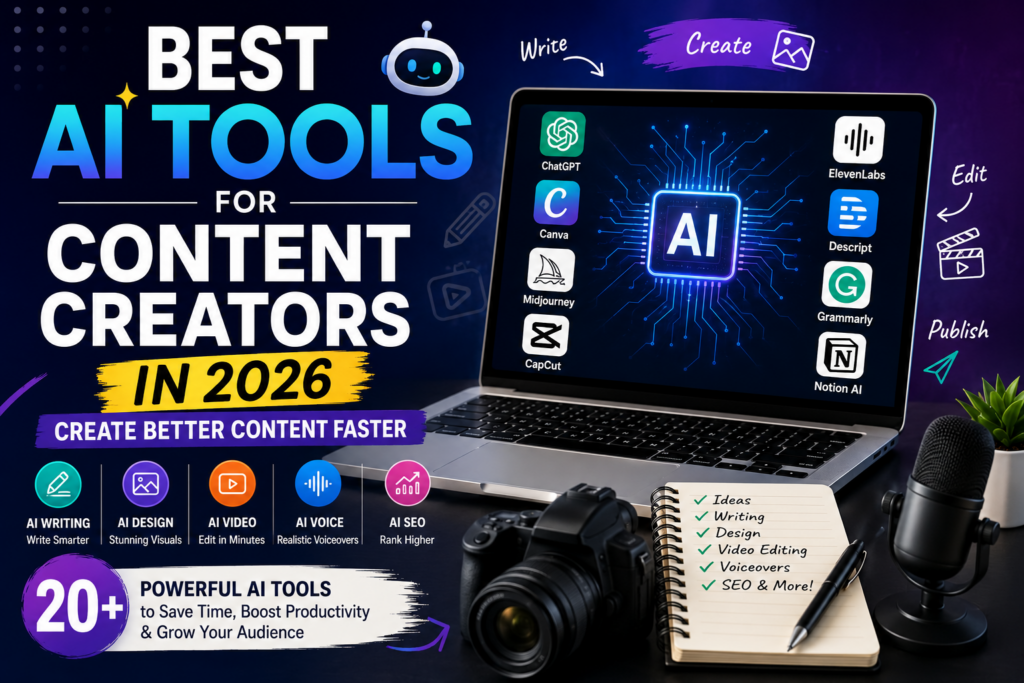
In this guide, we’ll explore the best AI tools for content creators in 2026, explain what each tool does, and help you decide which ones deserve a place in your creative workflow.
Why Content Creators Are Using AI
AI isn’t replacing creativity—it enhances it.
Instead of spending hours on repetitive work, creators can focus more on strategy, storytelling, and audience engagement.
Some of the biggest advantages include:
- Faster content production
- Better idea generation
- Improved SEO
- Professional-quality visuals
- Faster video editing
- Grammar improvement
- Content repurposing
- Social media automation
When used responsibly, AI becomes a productivity partner rather than a replacement.
1. ChatGPT
ChatGPT remains one of the most versatile AI assistants for creators.
It can help with:
- Blog writing
- Script writing
- Caption creation
- Brainstorming ideas
- SEO optimization
- Email writing
- Content planning
Best For
- Bloggers
- Copywriters
- YouTubers
- Marketers
2. Canva AI
Canva has evolved into a complete AI-powered design platform.
Its AI features allow creators to:
- Design thumbnails
- Create presentations
- Generate social media graphics
- Remove backgrounds
- Generate images
- Resize designs instantly
Best For
- Graphic designers
- Social media creators
- Bloggers
Also Read :- ChatGPT Prompts for Bloggers
3. Claude
Claude is particularly strong at generating detailed, well-structured content.
Many creators use it for:
- Long-form articles
- Research
- Content strategy
- Brainstorming
- Editing
Best For
- Writers
- Researchers
- Content marketers
4. Midjourney
Midjourney produces stunning AI-generated artwork from text prompts.
Creators use it to produce:
- Blog illustrations
- YouTube thumbnails
- Social media visuals
- Book covers
- Marketing creatives
Best For
- Designers
- Digital artists
- Content marketers
5. Adobe Firefly
Adobe Firefly integrates AI directly into Adobe’s creative ecosystem.
It helps generate:
- Images
- Text effects
- Design variations
- Creative assets
Best For
Creators already using Photoshop or Illustrator.
6. ElevenLabs
High-quality voiceovers are becoming essential for modern content.
ElevenLabs provides realistic AI voices suitable for:
- YouTube videos
- Podcasts
- Audiobooks
- Reels
- Explainer videos
Best For
- YouTubers
- Educators
- Podcasters
7. CapCut AI
CapCut has become one of the most popular AI-powered video editors.
Its AI features include:
- Auto captions
- Background removal
- AI effects
- Auto editing
- Script-based editing
Also Read :- Best Free AI Tools for Students in 2026
Best For
- Short-form videos
- Instagram Reels
- TikTok
- YouTube Shorts
8. Descript
Descript completely changes video and podcast editing.
Instead of editing timelines manually, creators edit text transcripts.
Features include:
- AI voice cloning
- Podcast editing
- Screen recording
- Caption generation
- Video editing
Best For
- Podcasters
- Educators
- Video creators
9. Grammarly
Even experienced writers make mistakes.
Grammarly helps creators improve:
- Grammar
- Clarity
- Tone
- Readability
- Professional writing
Best For
Anyone creating written content.
10. Notion AI
Notion AI combines note-taking, project management, and AI assistance.
Creators use it to:
- Plan content calendars
- Organize ideas
- Write drafts
- Summarize notes
- Manage projects
Best For
- Teams
- Bloggers
- Agencies
- Freelancers
11. Perplexity AI
Perplexity AI has become one of the most useful research assistants for content creators.
Unlike traditional search engines, it provides concise answers while citing sources, making it easier to verify information before publishing.
Best For
- Content research
- Fact-checking
- Finding credible sources
- Trend analysis
12. Gamma
Creating presentations from scratch can be time-consuming.
Gamma uses AI to generate professional presentations, reports, and documents in just a few minutes.
Features include:
- AI presentation generation
- Modern templates
- Automatic layouts
- Interactive slides
Best For
- Coaches
- Educators
- Business creators
- Freelancers
13. Opus Clip
Long-form videos can easily be repurposed into short-form content using Opus Clip.
Its AI automatically identifies engaging moments and converts them into vertical videos suitable for social media.
Best For
- YouTube creators
- Podcasters
- Coaches
- Social media marketers
14. Jasper AI
Jasper AI focuses heavily on marketing and business content.
It helps generate:
- Sales copy
- Landing pages
- Email campaigns
- Product descriptions
- Blog content
Best For
- Businesses
- Agencies
- Copywriters
15. Surfer SEO
Great content also needs strong SEO.
Surfer SEO analyzes top-ranking pages and recommends improvements for:
- Keywords
- Headings
- Content length
- Internal links
- Topical relevance
Best For
- Bloggers
- SEO specialists
- Affiliate marketers
16. Copy.ai
Copy.ai specializes in generating short-form marketing content.
It can create:
- Product descriptions
- Ads
- Social media captions
- Email copy
- Landing page content
Best For
- Digital marketers
- Ecommerce businesses
- Social media managers
17. Runway
Runway is one of the most advanced AI video creation platforms available.
Creators use it for:
- AI video editing
- Object removal
- Background replacement
- Motion graphics
- AI-generated video effects
Best For
- Video editors
- Filmmakers
- Creative professionals
18. Synthesia
Synthesia allows creators to generate AI avatar videos without using a camera.
Simply enter a script, and an AI presenter delivers it in a professional-looking video.
Best For
- Training videos
- Educational content
- Business presentations
- Product demonstrations
19. Buffer AI
Managing multiple social media accounts can be challenging.
Buffer’s AI features help creators:
- Generate captions
- Schedule posts
- Repurpose content
- Plan content calendars
Best For
- Social media managers
- Small businesses
- Content creators
20. Leonardo AI
Leonardo AI has become a favorite among creators who need high-quality AI-generated visuals.
It excels at creating:
- Game assets
- Marketing graphics
- Character illustrations
- Blog images
- Social media artwork
Best For
- Designers
- Bloggers
- Game developers
- Digital artists
Comparison Table
| Tool | Best For |
|---|---|
| ChatGPT | Writing & Brainstorming |
| Canva AI | Graphic Design |
| Claude | Long-form Content |
| Midjourney | AI Images |
| Adobe Firefly | Creative Design |
| ElevenLabs | Voiceovers |
| CapCut AI | Video Editing |
| Descript | Podcast & Video Editing |
| Grammarly | Grammar & Editing |
| Notion AI | Productivity |
| Perplexity AI | Research |
| Gamma | Presentations |
| Opus Clip | Short-form Videos |
| Jasper AI | Marketing Copy |
| Surfer SEO | SEO Optimization |
| Copy.ai | Sales Copy |
| Runway | AI Video Creation |
| Synthesia | AI Avatar Videos |
| Buffer AI | Social Media |
| Leonardo AI | AI Artwork |
How to Choose the Right AI Tools
The best AI tool depends on your content goals.
Bloggers
- ChatGPT
- Claude
- Grammarly
- Surfer SEO
- Perplexity AI
YouTubers
- CapCut AI
- Descript
- ElevenLabs
- Opus Clip
- Runway
Social Media Creators
- Canva AI
- Buffer AI
- ChatGPT
- Leonardo AI
Designers
- Midjourney
- Adobe Firefly
- Leonardo AI
- Canva AI
Start with a few tools that solve your biggest challenges instead of trying to use every platform available.
Common Mistakes Content Creators Make with AI
AI is powerful, but it’s not perfect.
Avoid these common mistakes:
- Publishing AI-generated content without editing.
- Ignoring fact-checking.
- Using generic prompts that produce average results.
- Depending entirely on AI without adding your own expertise.
- Forgetting your audience’s needs.
The most successful creators use AI to enhance their work—not replace their creativity.
Frequently Asked Questions
Are AI tools free?
Many AI tools offer free plans with basic features, while advanced capabilities often require a paid subscription.
Which AI tool is best for bloggers?
ChatGPT, Claude, Grammarly, Surfer SEO, and Perplexity AI are among the strongest options for writing, editing, research, and SEO.
Which AI tool is best for YouTubers?
CapCut AI, Descript, ElevenLabs, Opus Clip, and Runway are excellent choices for scripting, editing, voiceovers, and repurposing videos.
Can AI replace content creators?
No.
AI can automate repetitive tasks and improve productivity, but creativity, storytelling, strategic thinking, and personal experience remain essential for creating content that truly connects with audiences.
Should I use multiple AI tools?
Yes—but only if each tool serves a specific purpose. A small, efficient toolkit is often more productive than relying on dozens of platforms.
Final Thoughts
Artificial Intelligence has become an essential part of modern content creation. From writing blog posts and editing videos to designing graphics and optimizing SEO, today’s AI tools help creators work smarter and produce higher-quality content in less time.
The key is to choose tools that complement your workflow. Rather than chasing every new AI platform, focus on those that genuinely save time and improve the quality of your work.
Whether you’re a blogger, YouTuber, designer, marketer, or freelancer, combining AI with your own creativity can help you stay productive, consistent, and competitive in 2026 and beyond.