In today’s fast-paced digital world, staying productive is no longer about working longer hours—it’s about working smarter. Whether you’re a student, freelancer, remote employee, entrepreneur, or content creator, the right productivity apps can help you organize your work, reduce distractions, and accomplish more in less time.
The best part? You don’t need expensive software to become more productive.
Many of the best free productivity apps in 2026 offer powerful features that were once only available in premium business tools. From AI-powered writing assistants to advanced task managers and note-taking apps, there are excellent free options for almost every workflow.
In this comprehensive guide, we’ll explore the top free productivity apps available in 2026, their features, advantages, limitations, and who they are best suited for.
Why Productivity Apps Matter More Than Ever
Modern work has become increasingly digital and collaborative. Most people manage dozens of emails, multiple projects, online meetings, personal goals, and countless daily tasks.
Without proper organization, it’s easy to:
- Forget deadlines
- Lose important information
- Waste time searching for files
- Become distracted
- Feel overwhelmed
Productivity apps solve these problems by helping users:
- Organize work efficiently
- Prioritize important tasks
- Improve focus
- Collaborate with teams
- Automate repetitive work
- Save valuable time
In 2026, AI has made these tools even smarter by assisting with writing, planning, scheduling, summarizing, and organizing information automatically.
How We Selected These Productivity Apps
This list is based on several important factors:
- Free plan value
- Ease of use
- Cross-platform compatibility
- Regular updates
- Security and reliability
- AI-powered features
- User popularity
- Flexibility for personal and professional use
Our recommendations focus on tools that provide meaningful functionality without requiring immediate payment.
1. Notion
Best For: All-in-one productivity
Notion remains one of the most versatile productivity apps available.
Instead of using separate apps for notes, task management, databases, calendars, and documents, Notion combines everything into one workspace.
Free Features
- Unlimited pages
- Task management
- Personal wiki
- Notes
- Templates
- Calendar integration
- AI features (limited free usage)
Pros
- Extremely customizable
- Beautiful interface
- Great for students
- Excellent for project management
Cons
- Learning curve for beginners
2. Google Keep
Best For: Quick note-taking
If you simply need a place to capture ideas quickly, Google Keep remains one of the easiest solutions.
Features include:
- Sticky notes
- Voice notes
- Image notes
- Checklists
- Labels
- Color coding
- Reminders
Everything syncs automatically across devices.
3. Microsoft To Do
Best For: Daily task management
Microsoft To Do is a clean and lightweight task management application.
Key features include:
- Daily planner
- Recurring tasks
- Shared lists
- Due dates
- Reminders
- File attachments
The “My Day” feature helps users focus only on today’s priorities.
4. Trello
Best For: Visual project management
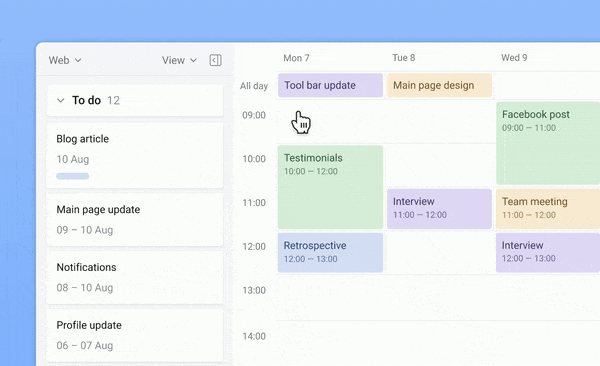
Trello uses Kanban boards to organize work visually.
You can create:
- Boards
- Lists
- Cards
- Checklists
- Deadlines
- Team assignments
It’s ideal for freelancers, marketing teams, and content creators.
5. Todoist
Best For: Personal productivity
Todoist has consistently remained among the world’s best task management applications.
Free plan includes:
- Multiple projects
- Task priorities
- Due dates
- Productivity tracking
- Recurring reminders
Its natural language input lets you type:
“Submit report tomorrow at 5 PM”
and automatically creates the reminder.
6. Obsidian
Best For: Knowledge management
Obsidian has become extremely popular among researchers, writers, developers, and students.
Instead of storing notes separately, it creates a network of connected ideas.
Highlights include:
- Markdown support
- Offline storage
- Internal linking
- Graph view
- Fast search
Perfect for building a personal knowledge base.
7. Google Calendar
Best For: Time management
A calendar is one of the most important productivity tools.
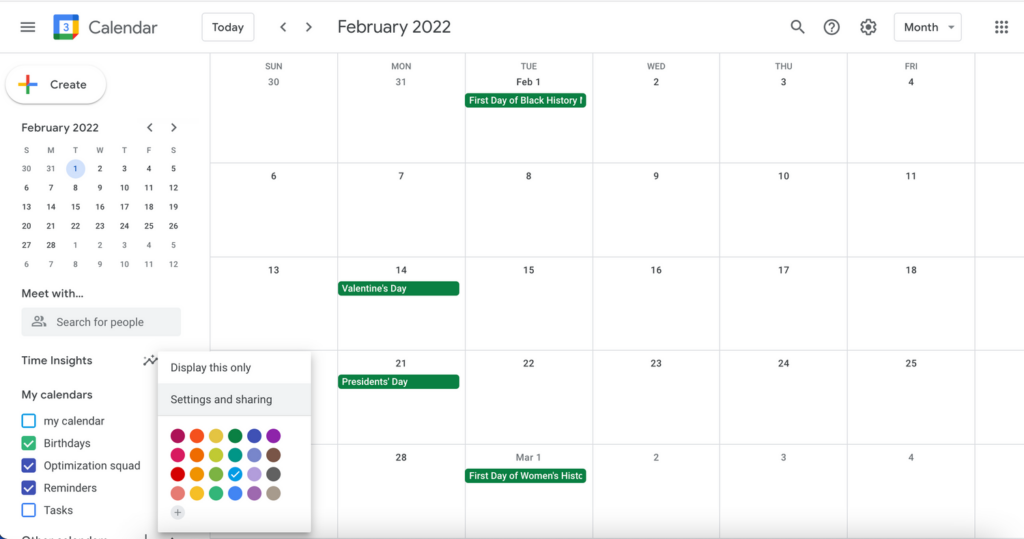
Google Calendar offers:
- Event scheduling
- Multiple calendars
- Notifications
- Shared calendars
- Time blocking
- Meeting scheduling
Time blocking has become one of the most effective productivity techniques in 2026.
8. Canva
Best For: Content creation
Productivity isn’t just about managing tasks—it also involves creating content efficiently.
Canva’s free version provides:
- Social media templates
- Presentations
- Documents
- Whiteboards
- Videos
- Posters
- AI-powered design tools (limited)
Perfect for marketers, students, and entrepreneurs.
9. Grammarly
Best For: Writing productivity
Writing emails, reports, blog posts, and assignments becomes much faster with Grammarly.
Free features include:
- Grammar correction
- Spelling checks
- Basic writing suggestions
- Tone detection
It works inside browsers, Google Docs, Microsoft Word, and many websites.
10. Clockify
Best For: Time tracking
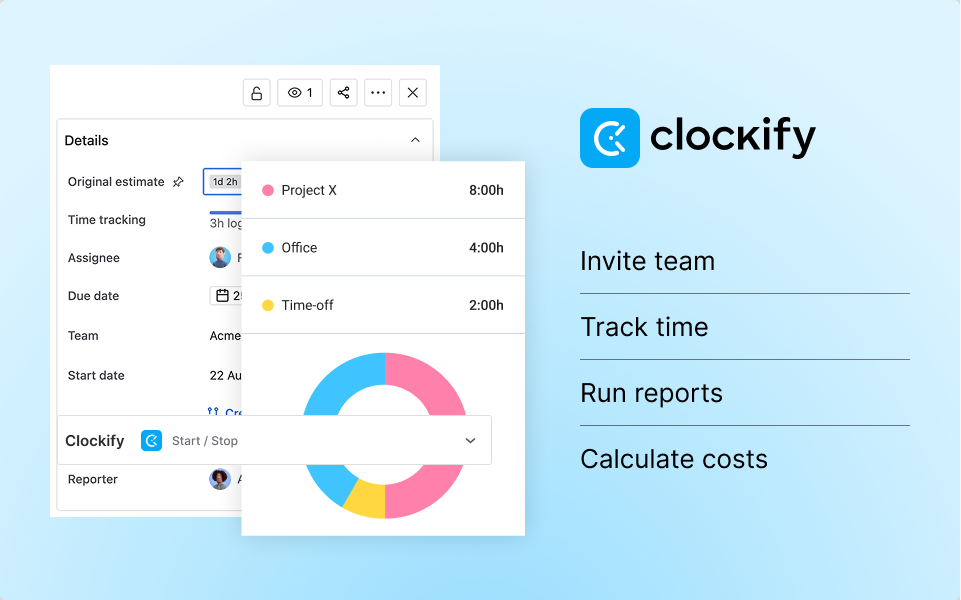
Clockify helps users understand where their time goes.
Free plan includes:
- Unlimited tracking
- Projects
- Reports
- Team tracking
- Browser extension
Excellent for freelancers and remote workers.
11. ChatGPT (Free)
Best For: AI-assisted productivity
AI has become an essential productivity partner in 2026.
The free version of ChatGPT can help users:
- Draft emails
- Brainstorm ideas
- Summarize articles
- Explain complex topics
- Generate outlines
- Improve writing
- Create study notes
- Plan projects
When used thoughtfully, it can significantly reduce time spent on repetitive tasks.
12. Google Drive
Best For: Cloud storage and collaboration
Google Drive remains one of the best free cloud storage solutions.
Benefits include:
- File sharing
- Cloud backup
- Google Docs
- Google Sheets
- Google Slides
- Real-time collaboration
- Version history
Its integration with Google’s productivity suite makes teamwork seamless.
13. Forest
Best For: Staying focused
Forest uses gamification to reduce phone distractions.
When you start a focus session, you plant a virtual tree. Leaving the app before the timer ends causes the tree to wither, encouraging uninterrupted work.
It’s a simple but effective way to build better focus habits.
14. Adobe Acrobat Reader
Best For: PDF productivity
Managing PDFs is part of many daily workflows.
The free version allows users to:
- Read PDFs
- Highlight text
- Add comments
- Fill forms
- Sign documents
A practical tool for students and professionals alike.
15. Bitwarden
Best For: Password management
Remembering dozens of passwords wastes time and increases security risks.
Bitwarden’s free plan includes:
- Unlimited passwords
- Secure password generator
- Browser extensions
- Mobile apps
- Cross-device syncing
Strong password management improves both productivity and security.
Productivity Techniques That Work Well With These Apps
The right app becomes even more effective when paired with proven productivity methods.
Time Blocking
Reserve dedicated blocks of time for important work using Google Calendar.
Example:
- 9:00–10:30 Deep Work
- 11:00–12:00 Meetings
- 2:00–3:00 Writing
- 4:00–5:00 Planning
The Pomodoro Technique
Work for:
- 25 minutes
- Take a 5-minute break
- Repeat four times
- Then take a longer break
Apps like Forest pair well with this method.
GTD (Getting Things Done)
Capture every idea immediately.
Use:
- Microsoft To Do
- Todoist
- Notion
Then organize, prioritize, and complete tasks systematically.
Second Brain Method
Store knowledge instead of relying on memory.
Use:
- Obsidian
- Notion
Build a searchable library of notes, ideas, research, and references.
How to Choose the Right Productivity App
Different users have different needs.
Students
Best choices:
- Notion
- Google Keep
- Google Drive
- Grammarly
- ChatGPT
Freelancers
Recommended tools:
- Clockify
- Todoist
- Google Calendar
- Canva
- Bitwarden
Remote Workers
Ideal apps include:
- Trello
- Microsoft To Do
- Google Drive
- Notion
- Google Calendar
Content Creators
Useful options:
- Canva
- ChatGPT
- Grammarly
- Notion
- Google Drive
Tips to Maximize Productivity in 2026
Technology alone won’t improve productivity unless used consistently. Consider these practical habits:
- Choose a small set of tools instead of switching between many apps.
- Review your tasks every morning and prioritize your top three goals.
- Turn off unnecessary notifications during focused work sessions.
- Use keyboard shortcuts and automation where possible.
- Back up important files to the cloud.
- Schedule regular breaks to avoid burnout.
- Review completed work at the end of each week to identify areas for improvement.
Frequently Asked Questions (FAQs)
Which is the best free productivity app in 2026?
There isn’t a single best option for everyone. Notion is an excellent all-in-one workspace, Todoist excels at task management, and ChatGPT is a strong AI assistant for writing and brainstorming.
Are free productivity apps safe to use?
Most well-known productivity apps use encryption and security measures to protect user data. Always enable two-factor authentication when available and use strong, unique passwords.
Can I use these apps for business purposes?
Yes. Many freelancers, startups, and small businesses rely on the free versions of these apps. As your needs grow, you can consider upgrading to paid plans.
Which productivity app is best for students?
Notion, Google Drive, Google Keep, Grammarly, and ChatGPT are among the most useful free tools for organizing study materials, writing assignments, and collaborating on projects.
Do I need multiple productivity apps?
Not necessarily. Many users find that one workspace app, one calendar, and one note-taking or task app are sufficient. Choose tools that integrate well and fit your workflow.
Final Thoughts
The best free productivity apps in 2026 prove that you don’t need a large budget to stay organized, focused, and efficient. Whether you’re managing schoolwork, running a business, creating content, or coordinating a team, today’s free tools provide impressive capabilities that can streamline your daily routine.
The key is not to install every app available but to build a simple, consistent system. For example, you might use Notion for planning, Google Calendar for scheduling, Google Drive for file storage, Grammarly for writing, and ChatGPT for brainstorming and drafting. By combining the right tools with productive habits like time blocking and regular reviews, you can work more effectively and reduce unnecessary stress.
Start with one or two apps that match your biggest productivity challenges, learn them well, and expand your toolkit only when needed. A focused workflow will almost always outperform a cluttered one.